Order Business Checks for QuickBooks FREE LOGO! & FREE SHIPPING!

Reordering checks takes 60 seconds

Reorder business checks with the same layout, logo and bank info as last time. Enter either number below.

or

Numbers are matched against your previous order only; nothing is charged until you approve the reprint. First time here? Start a new order.

How a quick reorder works

  1. 1
    Find your last order

    By account number or order number. We pull the layout, starting check number and logo.

  2. 2
    Confirm the next check number

    We suggest the number after your last one. Change quantity or the number if you like.

  3. 3
    Checkout, printed in 24-48 hours

    Saved card or new card. Same 100% satisfaction guarantee as the first order.

  • Free logo stays on file
  • 24-48 hour turnaround
  • 100% satisfaction or money back

Product list

Every product you have ordered before can be reordered from the list. Prices are per box of 250 unless noted; quantity discounts apply at checkout.

ImageProductFormatsFromAction
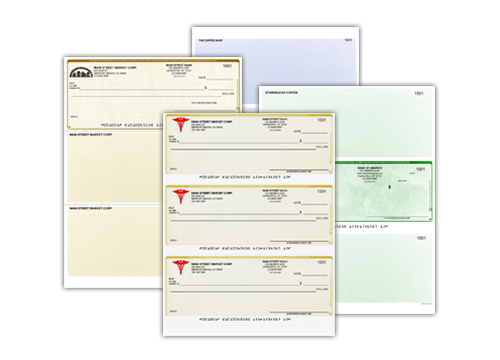
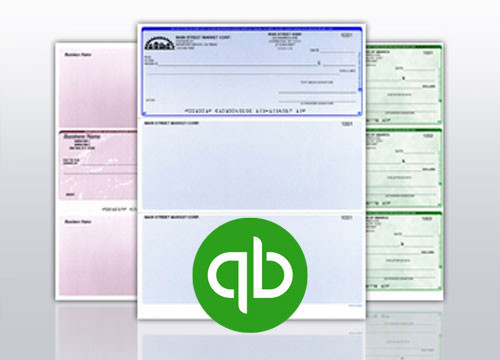
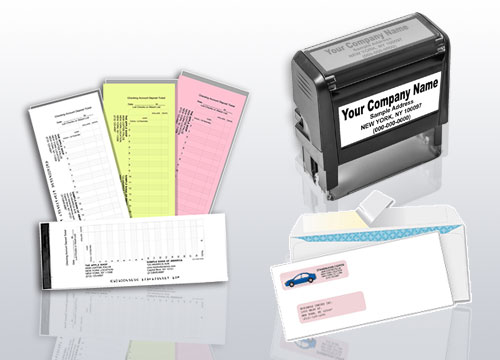
Computer checks for QuickBooks, Quicken and Sage Computer ChecksMatched to 700+ accounting programs Voucher, middle, bottom, 3-per-page, wallet $12.99 Order
Laser checks with color logo Laser ChecksHigh-security paper, logo included Voucher, 3-per-page $12.99 Order
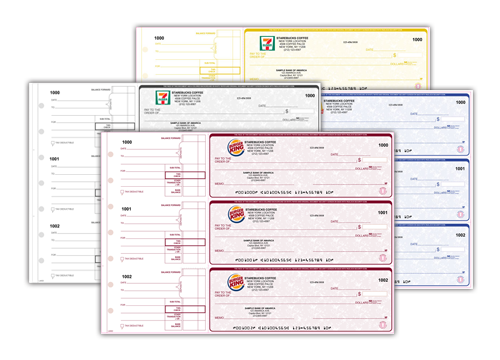
Manual business checks, 1-part or duplicate Manual Checks3 to a page, fits a 7-ring binder 1-part, duplicate, high-security $29.69 Order
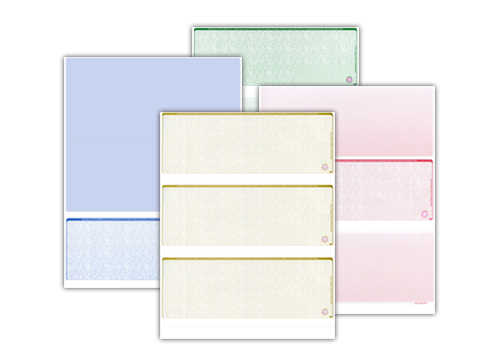
Blank check stock for laser printers Blank Check StockPrint your own MICR line Voucher, middle, bottom, 3-per-page, wallet $11.79 Order
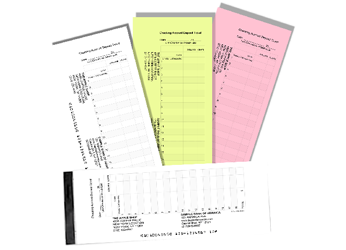
Bank deposit slips and deposit books Deposit SlipsPre-encoded with your account number Laser, QuickBooks, manual book $15.69 Order
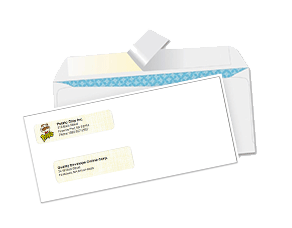
Double window check envelopes EnvelopesDouble window, sized for your checks Regular, self-seal, peel-and-seal, wallet $9.99 Order
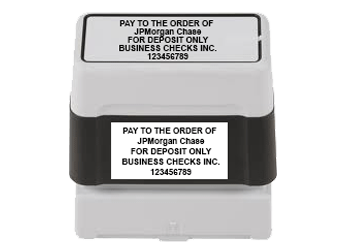
Self-inking endorsement and signature stamps StampsSelf-inking, up to 5 lines Endorsement, signature, name and address $19.69 Order
7-ring manual check binder Check Binders7-ring, zippered, holds 300 checks For manual checks and deposit books $15.69 Order

Changed accounting software since your last order?

Pick the new program and we re-map your saved check to its layout. Everything else on the reorder stays the same.

Other programs (NetSuite, Xero, Dynamics, Yardi, ADP and 700 more): search the software list.

  • Free logoKept on file for every reorder
  • 24-48 hoursReprints go to the front of the line
  • 100% satisfactionOr your money back
  • Secure checkoutEncrypted, PCI compliant
  • (800)-385-1363Reorder by phone, Mon-Fri

First order? Five steps, about five minutes

After that, every order is a 60-second reorder.

  1. 1
    Pick a layout

    Voucher, middle, bottom, 3-per-page or wallet, or choose your software.

  2. 2
    Enter bank info

    Routing and account numbers; the bank name fills in automatically.

  3. 3
    Upload your logo

    Free, full color. Saved to your account for reorders.

  4. 4
    Preview

    Exact on-screen check. Fix anything before you pay.

  5. 5
    Checkout

    Card or ACH. Printed in 24-48 hours, shipped with tracking.

Reorder questions

The questions people ask whatever they are ordering: what we need from you, how long it takes, and whether the bank will take it.

Will my bank accept checks that were not printed by my bank?
Business checks printed to bank specification with MICR encoding

Yes. You are free to buy checks from any printer, and banks process checks from outside printers every day. A check is honoured on the strength of the account, the signature and the MICR line at the bottom - the routing number, account number and check number printed in magnetic toner in the E-13B font at a specified position. A check carrying those correctly is read by the bank's sorters the same way a check from the bank's own supplier is.

The realistic caveats are worth stating plainly. Individual banks set their own MICR requirements for their accounts, a few ask to see a sample before accepting checks from a new source, and some will charge a fee for items their equipment cannot read on the first pass. So if your bank has issued a MICR specification sheet, send it with your order and we will print to it, and if you are unsure, take one of the new checks into the branch before you use the whole box.

What has never been true is that a bank can require you to buy its checks. If a branch tells you otherwise, ask for the requirement in writing - it is usually a sales preference rather than a policy. Our checks are printed on security paper with MICR magnetic toner, from $12.99 per 250 for computer checks and $29.69 per 250 for manual books, with a 100 per cent satisfaction guarantee.

Is it safe to order checks online?
Secure online check ordering

It is, provided you order from a printer that treats your bank details as bank details. The information a check order needs - routing number, account number, business name and address - is the same information printed on every check you already hand out, so the risk is not in the data existing; it is in how it is transmitted, who can see it inside the company, and how long it is kept afterwards.

What to look for, here or anywhere: an encrypted checkout so the details are not sent in the clear, a business that prints in-house rather than passing your order down a chain of subcontractors, restricted internal access, and a stated position on retention. Ask questions before you order rather than after. A printer that cannot answer where your account number is stored is telling you something useful.

Practical habits matter on your side too. Order from your own device rather than a shared computer, never send bank details over ordinary email or a messaging app, and when the checks arrive, count them and confirm the numbers run in sequence from where your last box ended. Store the box locked. If anything in an order looks wrong when it arrives, call (800)-385-1363 rather than using the checks and sorting it out later.

What information do you need to print my checks?
Check with business name, bank details and free colour logo

Four things: the business name and address to print at the top of the check, the bank name and the branch city, the nine-digit routing number, and the account number. Add the starting check number you want, taken from the next unused check in your current book, so the new order continues your sequence instead of repeating numbers you have already issued.

The easiest and most accurate source for all of it is a check you already have for the same account. Read the routing and account numbers from the MICR line at the bottom rather than from a statement or an online banking screen, because banking screens sometimes display the numbers in a different arrangement or add a prefix that does not belong on a check. If you are opening a new account, ask the bank in writing for the numbers to be printed.

Two optional extras: your logo, which is included free in full colour, and any custom wording such as a second signature line or a memo heading. If your bank has given you a MICR specification sheet, send that too and we will follow it exactly. Orders are produced within our 24-48 hour turnaround, and if any of the details look inconsistent we will query it before printing rather than after.

Do I need to send a voided check with my order?
Check ordering questions answered

Not usually. If you can give us the bank name, routing number, account number and starting check number accurately, that is enough to print, and most orders go through on typed details alone. A voided check helps in two situations: when you are not certain you are reading the MICR line correctly, and when your bank uses an unusual MICR arrangement that is easier to copy than to describe.

There is a third situation where it is genuinely useful - reproducing an existing check exactly, including the position of a logo, a second signature line, or wording your bank asked for. Sending an image of a current check, front only, lets us match it rather than interpret it. If you do send one, write VOID clearly across the face first, and send it through the channel we ask for rather than ordinary email.

If your bank has issued a MICR specification sheet, that document is better than a voided check, because it states what the bank wants rather than showing what a previous printer did. Either way, we will query anything that looks inconsistent before printing. Call (800)-385-1363 if you would rather read the numbers to somebody than type them into a form.

How long does it take to get my checks?
24 to 48 hour check printing turnaround

Production takes 24 to 48 hours. That is the part we control: from the point your order and bank details are confirmed, your checks are printed and ready to leave within one to two business days. Delivery time is then added on top and depends on the shipping method you choose and where you are, so total time in hand is production plus transit rather than production alone.

Two things can extend the production window, and both are avoidable. The first is a detail that needs checking - a routing number that does not match the bank named, a starting check number that would duplicate checks you have already issued, or a logo file too small to print cleanly. We query those before printing rather than after, which is slower but better than reprinting. The second is a bank specification sheet arriving after the order.

So if you are running low, order when about thirty checks remain rather than when the box is empty: that gives comfortable cover for our 24-48 hour turnaround plus transit, with room for a query. Computer checks start at $12.99 per 250 and manual books at $29.69 per 250, and you can check where an order stands at any time or call (800)-385-1363.

How many checks come in a box?
Business checks sold in quantities of 250

Our standard quantity is 250, and what that means in checks depends on the format. A voucher laser sheet holds one check, so 250 sheets is 250 checks. A three-per-page laser sheet holds three, so 250 sheets is 750 checks. A manual book of 250 is 250 checks, arranged three to a page across roughly 84 pages. Read the quantity as the unit the product is sold in rather than assuming a box is a box.

Prices are per 250 at their starting quantity: computer and laser checks $12.99, manual checks $29.69, blank check stock $11.79, deposit slips $15.69. Larger quantities cost less per check, which is the usual reason to buy more than you need this quarter, but weigh that against holding a lot of live checks with your account number on them in the office.

The judgement most businesses get wrong is buying too many. If your bank details change, if you move premises, or if you change account, the unused stock is waste - you cannot reprint an address on a printed check. With our 24-48 hour turnaround production, ordering a sensible quantity more often is usually the better call than a two-year supply.

Can I print my own logo on my checks, and does it cost extra?
Free full colour logo printed on business checks

Yes, and no - your logo is printed in full colour at no extra charge on the products that carry one. Send the highest-resolution version you have, ideally a vector file such as an EPS, AI, PDF or SVG, or a PNG at least a few hundred pixels across on a transparent or white background. A logo pulled from a website header is usually too small: it looks fine on screen at 72 pixels per inch and prints soft.

Placement is normally top left, beside or above your business name, because that is where the check layout leaves room without crowding the payee line or the MICR band. Nothing may encroach on the MICR clear band along the bottom of the check, so a logo cannot run full width down the sheet however good it looks - that band has to stay clear for the bank's sorters to read the magnetic characters.

If your logo is a specific colour, tell us the colour reference rather than trusting a screen. Screen colour and printed colour are different systems, and a colour you approved on a monitor can print noticeably different, especially strong blues and greens. Ask for a proof if the colour matters to you. Free full-colour logo printing applies with computer checks from $12.99 per 250 and manual checks from $29.69 per 250.

What security features do your checks have?
Check security features including microprinting and warning border

Every check we print is produced on security paper with MICR magnetic toner, and the security paper carries the features that make alteration and copying detectable: microprinting that breaks up into a smudge when photocopied, a chemically reactive surface that stains if somebody tries to lift ink with solvent, and a printed warning border or padlock icon telling anyone handling the check that security features are present.

The high-security check range adds further protection on the same body, which is the right choice if your checks are mailed, handed to contractors, or left where several people can reach them. The two frauds these features address are washing, where an amount or payee is chemically removed and rewritten, and duplication, where a check is copied and presented again. Both leave visible evidence on a security-paper check.

What no paper feature can prevent is somebody using your account number for an electronic debit, and that is worth being honest about, because the account number is printed on every check you hand out. The controls that address that risk sit at the bank and in your office: positive pay if your bank offers it, regular review of the account online, storing unused checks locked away, and shredding spoiled checks rather than binning them.

How do I reorder checks?
Reordering business checks online

Reorder from your previous order rather than starting from scratch, so the bank details, layout, logo and wording carry over and the only thing you change is the starting check number. Take the next unused number from your current book or the last number you printed, add one, and give us that as the start of the new sequence. Duplicate check numbers cause more reconciliation trouble than any other ordering mistake.

This is the moment to check what has changed rather than reprinting an old error. Has the business address moved? Has the account changed? Has the bank been acquired and renamed - a common one, since a bank name changes while the routing number sometimes stays and sometimes does not. Is the phone number on your checks still correct? Fix all of it in the reorder rather than living with it for another 250 checks.

Timing matters more than people expect. Reorder when about thirty checks remain, which gives cover for our 24-48 hour turnaround production plus transit, plus room if we need to query a detail. If you have already run out, say so when you order and we will tell you honestly what is achievable rather than promising a date the post cannot keep. Call (800)-385-1363 if you need it sooner than the site can offer.

Can I see a proof or a sample before you print?
Proofing a business check layout before printing

Ask, and ask before you place the order rather than after. On a straightforward reorder a proof adds a step to a job where nothing has changed, so many orders go straight to print. On a first order, an order with a logo, or an order carrying custom wording such as a second signature line, seeing the layout before 250 sheets are printed is worth the extra day it may add.

Be clear which kind of sample you want, because they are different things. A proof is an image of your own check layout, showing your business name, bank line and logo in position - that is what you check for spelling, address and placement. A physical sample is a printed example of the stock and format, which tells you about paper, colour and layout but does not carry your details.

Whichever you get, proofread it against the source rather than from memory: business name spelling and punctuation, the address line by line, the bank name, the routing and account numbers digit by digit, and the starting check number. Those are the errors that are expensive to find later, because a printed check with a wrong account number is waste. Call (800)-385-1363 to arrange a proof, or use the contact form and say what you want to see.

What is a MICR specification sheet and do I need one?
MICR line printed to bank specification on a business check

A MICR specification sheet is a document from your bank stating exactly how the magnetic line at the bottom of a check for your account should be printed: which numbers go in which field, the position of the routing and account numbers, and any transit or auxiliary fields the bank wants. Banks issue them to check printers so that items sort correctly on the first pass.

You do not need one for most orders. Copying the MICR line accurately from an existing check for the same account is enough in the great majority of cases, because that check was itself printed to the bank's specification. A spec sheet earns its keep in three situations: a brand-new account with no check yet, a bank with an unusual MICR arrangement, and a previous order that came back with sorting problems.

If you have one, send it with your order and we will print to it rather than to our reading of your old check. If you do not have one and your bank has raised a question about a check, that is the document to ask for - request the MICR specification for your account number and pass it to us. Call (800)-385-1363 if you want help interpreting what the bank sent, and we will tell you plainly whether it changes anything.

Can I order checks by phone instead of online?
Ordering business checks by phone

Yes. If you would rather read your bank details to a person than type them into a form, or you are replacing a check you cannot identify from the product names, call (800)-385-1363 and somebody will take the order and look up the format with you. That is often the faster route for an unusual software package, a check you inherited from a previous bookkeeper, or a layout you can describe but not name.

Have three things in front of you when you call: a current check for the account, so the bank name, routing number and account number can be read from the MICR line; the next unused check number, so the sequence continues correctly; and the name of your accounting software and the check style it prints, if you print rather than write checks.

Do not send bank details by ordinary email or a messaging app, whichever way you order. Email is not a secure channel and an account number sitting in two inboxes is an unnecessary exposure - use the checkout, the phone, or whatever secure channel we point you to. Computer checks are $12.99 per 250 and manual books $29.69 per 250 whichever way the order is placed, and production is our usual 24-48 hour turnaround.

Can the address on my checks be different from my billing address?
Business check order with separate printed and billing addresses

Yes. The address printed on a check is the address you want payees and your bank to see, and it does not have to match the card used to pay for the order. Businesses legitimately differ here all the time: a company registered at an accountant's address, a home-based business printing a mailing address, a branch ordering checks paid for by head office.

Because a mismatch is also a pattern fraud takes, expect an order like that to be checked rather than waved through. A first order with a printed address, a billing address and a shipping address that all differ may prompt a phone call to confirm it is genuine. That is a protection for you: the person it protects is the account holder whose details somebody else might be using.

The way to make it smooth is to say so up front. Note in the order that the printed address is intentional, use a contact number that reaches you rather than a mobile nobody answers, and be ready to confirm the detail if asked. If you would rather deal with it in one conversation, call (800)-385-1363 and place the order by phone. Delivery to a PO box and similar arrangements depend on the carrier, so check the shipping options before choosing one.

What if something is wrong with my checks when they arrive?
Checking a business check order on arrival

Call us before you use them. Check the box the day it arrives, against the details you submitted: business name spelling, the address line by line, the bank name, the routing and account numbers digit by digit, the starting and ending check numbers, and that the sequence has no gaps. Finding a wrong digit in the first five minutes is a reprint; finding it after you have posted forty checks is a much bigger problem.

If something is wrong, do not write on the checks, do not throw them away, and do not use the good ones out of the middle of the box. Call (800)-385-1363 and describe what is wrong. We back every order with a 100 per cent satisfaction guarantee, and a printing error on our side is our reprint, produced within our normal 24-48 hour turnaround.

If the error came from the details submitted rather than from the printing - a transposed account digit, an old address - say that plainly and we will sort out the reprint with you. Either way, destroy the incorrect checks securely once the matter is settled: a check with your real account number and a wrong address is still a document carrying live bank details, so shred it rather than binning it.

Repeat customers on orderbusinesschecks.net

Most orders here are the third, fourth or tenth from the same business.

★★★★★

“Typed the last four of our account number, clicked Find, confirmed the check number, done. Under a minute, like the headline says.”

Gary T.Plumbing contractor, Toledo OH · 6th order
★★★★★

“We reorder QuickBooks checks every January. The logo and starting number were exactly where we left off.”

Sandra L.Bookkeeper, Fresno CA · 4th order
★★★★☆

“Reorder was painless. I would like an email reminder when my box is probably running low; otherwise no complaints.”

Ahmed R.Auto repair shop, Newark NJ · 3rd order

Low-stock reminders

Tell us your email and we send one reminder when your last box is likely running out, with a one-click reorder link.